
This Revit Architecture Tools course provides an in-depth look at Revit’s advanced tools so you can get even more out of the software.
CAD - AutoDesk
This Revit Architecture Tools course provides an in-depth look at Revit’s advanced tools so you can get even more out of the software.
Revit Architecture is at the heart of the transformation of architectural design and construction. As powerful software, it facilitates Building Information Modeling (BIM), which allows architects and designers to digitally model buildings. This software offers a range of advanced tools that streamline the design, collaboration, and documentation of construction projects.
Revit enables you to create detailed, accurate models of buildings. You use these models for analysis, generating documentation, and the construction process itself. One of Revit’s greatest strengths lies in its ability to synchronize changes across the entire model. As a result, design modifications are automatically updated in all related documents and drawings.
Revit Architecture not only supports designers’ creative freedom with versatile modeling tools but also offers advanced features for documentation and material quantification. This is essential for the realization of projects. These innovations make it possible to approach complex projects with a new level of precision and efficiency. Here, the quality of the design goes hand in hand with the functionality of the built environment.
In light of these capabilities, Revit Architecture is an indispensable tool for anyone involved in the architecture and construction sector who strives to optimize their work processes and deliver exceptional project results.
Digital modeling has transformed the world of architecture. The ability to visualize complex structures and environments in detail, even before the first brick is laid, is revolutionizing how projects are approached, planned, and realized. With Revit Architecture, a pioneer in this field, you are equipped to push the boundaries of design and construction.
Using digital modeling, particularly through Revit, not only enables you to create architectural masterpieces but also ensures that projects are more efficient, cost-effective, and sustainable. It is more than just software; it is a roadmap to the future of construction and design, allowing you to bring every angle and curve of your vision to life.
Revit Architecture is essential for modern architectural design thanks to its robust set of core features. These features allow you to:
Together, these features form a powerful platform that not only increases efficiency but also elevates the quality of architectural projects to a higher level.
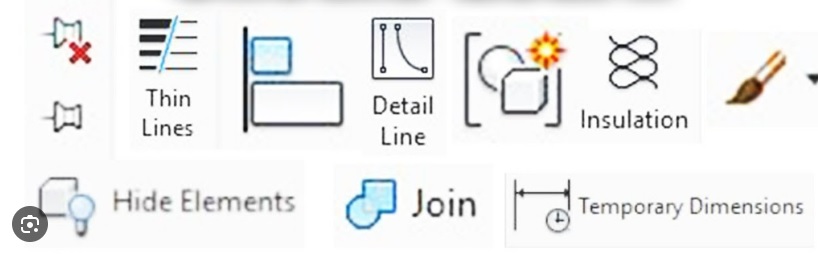
In the Revit Architecture Tools course, you’ll learn to work with Revit’s advanced modeling tools. This is essential for creating accurate and complex architectural designs. These tools enable you to:
These skills enhance your ability to create detailed, functional models that form the foundation for successful projects in the world of geoinformation and architecture.
In the world of Revit Architecture, efficient project management is crucial to the success of any construction project. Worksets are indispensable here; they offer the ability to:
The use of Worksets in Revit ensures a streamlined workflow, increases productivity, and minimizes conflicts within the project team.
Choosing our Revit Architecture Tools course means choosing quality and expertise. Our course stands out because:
These aspects ensure that you not only learn the software but also how to use it effectively in your professional practice.

Do you have questions about the course content? Or are you unsure whether the course aligns with your learning goals or preferences? Would you prefer an in-house or private course? We’d be happy to help.
You'll learn advanced Revit tools to streamline your modeling process.
This course is intended for those with some experience in Revit or CAD software.
The course lasts two days and combines theory and practice.
You will receive a certificate demonstrating your proficiency in Revit Architecture Tools.
The course provides skills that are valuable for various roles in the geosciences sector.
Yes, support is available, including advice on advanced rendering.
You will build a foundation of knowledge, develop skills in building modeling, and learn about collaboration and documentation.
Both options are available, with flexibility regarding the course location.
Yes, there is an option for one-on-one online personalized lessons after the course.
You can sign up for a beginner or advanced course, or opt for Online Support.

