
In the BIM course, you will learn the basic principles of the Building Information Model (BIM). The course covers 2D and 3D models as well as site models.
Construction and Civil Engineering
In the BIM course, you will learn the basic principles of the Building Information Model (BIM). The course covers 2D and 3D models as well as site models.
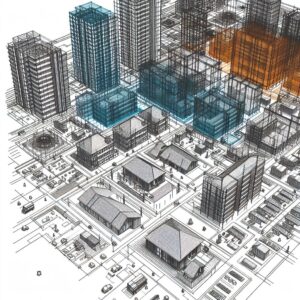 In the world of architecture, engineering, and construction (AEC), Building Information Modeling (BIM) has been revolutionary, and the Netherlands is at the forefront of this transformation. BIM goes far beyond traditional CAD (Computer-Aided Design) systems by offering not only geometry but also a rich set of data linked to every element of a construction project. This makes BIM indispensable for more efficient project delivery and better-informed decision-making throughout a building’s entire lifecycle.
BIM is not just software; it is a process that enables teams to collaborate within a shared model, ensuring information is shared consistently and accurately. From the initial plan for a plot of land through to renovation or demolition, BIM provides a digital platform that encompasses every detail of the construction process. It integrates design, construction, and facility management into a single, seamless system.
What makes BIM unique is the way it enables all stakeholders to work with the same up-to-date information. Errors and inconsistencies can be detected early on, leading to a significant reduction in failure costs and an increase in efficiency and sustainability. BIM uses intelligent objects that account for their interaction with other objects, thereby preventing clashes and improving the overall quality of the construction project.
Another distinguishing feature of BIM compared to traditional CAD systems is the ability to manage not only the design and construction of a building but also its long-term maintenance and management. This transforms the way buildings are designed, built, and maintained, with a strong focus on sustainability and efficiency.
BIM also enables us to model and visualize the physical and functional characteristics of a construction project in a digital environment. This helps in making more informed decisions early in the design process, leading to better results. Crucially, BIM goes beyond mere 3D modeling by capturing the relationships, metadata, and behaviors intrinsic to building components in the real world. This creates a rich, detailed, and easy-to-understand representation of the project.
At its core, BIM facilitates a collaborative approach that is necessary for the complexity of today’s construction projects. By using a central, digital model, all project data becomes accessible and understandable to every stakeholder. This digital process supports the creation and management of detailed, multidisciplinary information, ensuring that all team members know exactly what needs to be built and how, before actual construction begins.
Also check out the 2-day basic BIM introduction course, designed for those just starting to explore BIM and geoinformation.
Building Information Modeling (BIM) has fundamentally changed the way we think about architecture, engineering, and construction. But what makes BIM so revolutionary, and why is it so important for your projects?
BIM is more than just an advanced software program. It is a process that supports the creation, use, and sharing of digital models of construction projects. These models contain not only accurate geometric representations of buildings but also detailed information about the characteristics and functions of their components. This is why BIM has become an indispensable tool in the construction industry:
The importance of BIM cannot be overstated. It transforms the way projects are planned, designed, built, and managed, with a focus on optimization and sustainability. Whether you’re an architect, a civil engineer, or a project manager, BIM gives you the tools to work faster, smarter, and more efficiently.
By delving into BIM with Geo-ICT, you open up a world of possibilities for yourself and your projects. Not only will you be able to communicate more effectively with team members and stakeholders, but you’ll also be able to deliver better construction projects that are on time and within budget, with a lower environmental impact.
Building Information Modeling (BIM) is transforming the construction industry through an integrated approach to the design, execution, and management of construction projects. The key principle behind BIM is the creation of a digital model that not only represents the geometry and spatial relationships of a structure but also contains detailed information about every aspect of the design and construction.
Applications of BIM include, but are not limited to:
The power of BIM lies in its ability to integrate and manage information throughout the entire lifecycle of a construction project. This results in better communication among stakeholders, more efficient construction processes, and ultimately in buildings that better meet the needs of users and society. The use of BIM also leads to more sustainable construction through more efficient use of materials and resources, and through the optimization of energy consumption and management.
In the future, the continued adoption of BIM in the construction sector is expected to lead to even more advanced applications. For example, the integration of artificial intelligence and machine learning for even smarter construction solutions and management strategies.
The integration of Geographic Information Systems (GIS) and Building Information Modeling (BIM) into CAD modeling opens up a world of possibilities for the construction and design industry. By combining GIS with BIM in CAD processes, professionals gain tools that bring together spatial context and detailed construction information. This enables the creation of highly accurate models of the real world. This not only improves precision in the design phase but also enhances decision-making and project management by:
This approach makes it possible to map not only the physical but also the functional characteristics of a construction project. This allows project teams to work more efficiently and improve the quality of their work.
Creating 3D models in BIM software and then converting these models into 2D drawings is a crucial step in the architectural design and documentation process. This method offers several advantages:
These techniques enable teams to design and plan with greater confidence, seamlessly integrating geoinformation for a complete and detailed overview of the project.
Architectural detailing and structural modeling with Revit are at the core of effective BIM use. By applying these advanced techniques, you can:
This approach not only increases accuracy and reduces the risk of errors but also optimizes project delivery by visualizing complex construction details at an early stage.
Choosing Geo-ICT’s BIM course means choosing an in-depth and practical learning experience. This program stands out because of:

Do you have questions about the course content? Or are you unsure whether the course aligns with your learning goals or preferences? Would you prefer an in-house or private course? We’d be happy to help.
The BIM Course is a comprehensive training program focused on BIM, including architectural modeling, CAD/GIS, and BIM management, as well as the use of software such as Revit.
This course is ideal for aspiring geoscientists, experienced geoscientists, companies in the geoscience sector, people seeking career transitions, and educational institutions.
Students develop skills in site information models, 3D models, and 2D drawings, architectural detailing, and the use of BIM-related software.
The duration and structure vary. For specific details, please contact the Geo-ICT Training Center or visit our website.
Yes, upon successful completion, participants will receive a certificate attesting to their proficiency in BIM technologies.
The course focuses on learning the fundamentals of BIM, using GIS in CAD modeling, creating 3D models and converting them into 2D drawings, and creating construction drawings.
The course consists of modules such as CAD/GIS and BIM management, area information models, architectural and structural modeling, and architectural detailing.
We use software such as Revit, Navisworks, QGIS, and Infraworks.
Yes, you have the opportunity to ask the instructor questions via email for two weeks.
Yes, the course can be taken both in person and online, with the option to participate via Google Meet.

