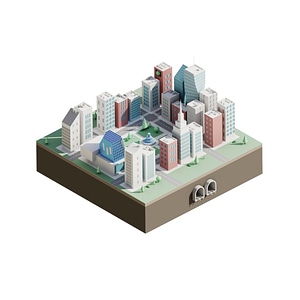
In the QGIS 3D Visualizations course, you will learn about three-dimensional features in QGIS. With the release of QGIS 3, it is now possible to work with three-dimensional models and visualizations.
Everything about QGIS
In the QGIS 3D Visualizations course, you will learn about three-dimensional features in QGIS. With the release of QGIS 3, it is now possible to work with three-dimensional models and visualizations.
In the world of geoinformation, 3D GIS visualization plays a central role in transforming complex geodata into intuitive and interactive models. This advanced form of visualization brings traditional two-dimensional maps and data to life by adding an extra dimension that more accurately reflects reality. Consider, for example, the visualization of urban environments, where buildings, sites, and landscape elements are presented in three dimensions. This offers unprecedented possibilities for urban planning, environmental management, and even historical reconstructions.
With the arrival of QGIS 3, a leading open-source geographic information system (GIS) software, working with 3D visualizations has become more accessible than ever. QGIS 3 introduces tools and features that enable users to create and analyze three-dimensional scenes with relative ease. From modeling elevation models and terrain visualization to developing detailed 3D city models, the possibilities are nearly endless.
The power of QGIS lies in its ability to convert complex geodata, such as LiDAR data or digital terrain models (DTMs), into detailed 3D visualizations. This allows you not only to represent the physical world with greater precision but also to explore the data in new and interactive ways. Whether you’re a geo-professional delving into the analysis of geographic information or someone interested in the visual presentation of data, 3D GIS visualization with QGIS 3 offers the tools and techniques to take your skills to the next level.
Unfamiliar with QGIS? Then we strongly recommend that you first take the QGIS basics
3D GIS technology transforms the way we interpret and present spatial data by providing a rich, three-dimensional context. It enables us to better understand and visualize the complexity of the physical world, from urban planning and landscape management to archaeology and emergency response. With tools like QGIS 3, you can create elevation models, city models, and more, creating an interactive experience that is both informative and engaging. This technology opens new doors for data analysis and decision-making by offering deeper insight into the geographic context.
3D GIS is used in a wide range of fields, from urban planning to environmental management. By creating detailed, three-dimensional visualizations, professionals can understand and interpret complex datasets, enabling better decision-making. In urban planning projects, for example, it helps visualize the impact of new developments, from sunlight and shadows to sightlines. For environmental management, it offers valuable insights into terrain and water systems, which is essential for conservation and planning.
Effectively managing and visualizing 3D data is crucial in the world of GIS. The QGIS 3D Visualization Course provides in-depth knowledge and skills for working with advanced 3D data in QGIS. This course focuses on collecting, managing, and dynamically visualizing data such as LiDAR and digital terrain models, enabling participants to approach complex geographic analyses visually and make decisions with a better understanding of geoinformation.
The QGIS 3D Visualization Course offers in-depth insights into how to effectively create 3D models and visualizations with QGIS. This course explores the practical applications of QGIS, from creating realistic city and terrain models to analyzing geographic data in a three-dimensional context. It focuses on the integration of LiDAR data and digital terrain models, which are essential for accurate elevation and terrain analysis. These skills are particularly valuable in urban planning, environmental management, and other fields where in-depth spatial understanding is required.
Choosing our QGIS 3D Visualization Course means opting for a learning experience that is not only theoretically grounded but also practical and immediately applicable. Our course stands out because of:
By choosing our course, you’re investing in a valuable skill that’s widely applicable across various fields of geoinformation and geodata. Not only will you become proficient in using QGIS 3 for 3D visualizations, but you’ll also strengthen your position in the job market with this specialized knowledge.

Need help?
Contact us
First, we will briefly explain a few QGIS basics. Following this brief introduction, we will quickly open the QGIS 3D environment. Much of the data we can display in 3D is also available as open data. This makes it easy and quick to populate 3D views with data. Therefore, we will explore various national and international open data sources. We will also review different exchange formats and their associated properties. Once the data has been located and is ready, it will be loaded into the QGIS 3D screen.
Among the data that can be displayed in 3D, a distinction can be made between two types of files: rasters (images with pixel values) and vectors (points, lines, and polygons). Therefore, the display options for rasters and vectors will be explained. The data will then be displayed in 3D. Finally, you will create one or more map layers yourself and add them to the 3D environment.
Do you have questions about the course content? Or are you unsure whether the course aligns with your learning goals or preferences? Would you prefer an in-house or private course? We’d be happy to help.
In this course, you will learn how to use QGIS to create 3D models and terrain visualizations, including working with elevation models and LiDAR data.
This course is ideal for entry-level GIS specialists, experienced GIS professionals, companies in the GIS sector, people looking to change careers, and educational institutions seeking to expand their knowledge of GIS visualization.
This course is a one-day training session in which you will learn hands-on how to use QGIS 3 for 3D visualizations, with a focus on practical applications in a 3D environment.
A basic understanding of QGIS is recommended. For beginners, we also offer a supplementary course on the basics of QGIS.
You can register directly using the registration widget (on the right side of the desktop version and at the top of the mobile version).
We use the latest QGIS 3 release and work with both raster and vector data. The course also includes hands-on exercises using open-data sources.
Yes, the course covers the creation of 3D city models and working with building elevation data, which is essential for realistic urban visualizations.
You will learn how to collect and manage 3D data, visualize raster files in 3D, and display vectors in 3D using QGIS. This includes working with LiDAR, DTMs, and creating realistic 3D city models.
Yes, after the course, you can ask questions via email for two weeks. For practical issues, we also offer one-on-one online support with an instructor.
Yes, the course is available both in person and online. If you choose to participate online, you’ll take the course via Google Meet from your own location.